A detailed guide all about Odoo migrations
Odoo migrations are essential for all kinds of businesses to even stay competitive, improve operations and secure data. It also involves transitioning from an older Odoo version to the latest one through data, application or systems migrations. While complex, hiring an Odoo expert ensures a seamless transition minimising downtime and optimising for long-term success. Here's what you should know, however.
Every company has software technology like a smartphone, which requires system updates to fix bugs that impact its performance and battery life. Quite similar to that analogy, Odoo is no different from that.
Odoo ERP is an open-source ERP which has also been updated regularly. These updates also expand its features, fix security issues and give you better performance than its previous versions.
Businesses can really benefit from these updates. While Odoo migrations are far more than just a simple update, it is very important to keep your company competitive in the fast-paced world.
Here's everything you should know about Odoo migrations, from its process to all common challenges, and all the best practices also come in handy.
- Odoo ERP streamlines all kinds of business operations for better efficiency.
- It also supports multiple deployment options: cloud,on-premise and hybrid
- The systems also offer strong financial, supply chain, production and project management tools
- The customisation is very possible, but also requires technical expertise
Implementation can be costly and time-consuming, so all kinds of businesses need expert support for a smooth transition to Odoo O2B.
What does Odoo migration mean for your business?
While almost 10% of businesses struggle to maintain their operational efficiency due to outdated technology, 80% of companies report an increase in revenue through technology transformation.
This is very true for Odoo migrations as well. In this process, your business transitions from Odoo's older version to its latest and most advanced one.
It is the most important step for all kinds of businesses to maintain their competitiveness in the digital environment.
Another reason your business needs Odoo migration is to be able to easily handle all of its complexities of a growing business.
An outdated system cannot offer new features to even improve your entire business performance. It causes operational inefficiencies, a big reason why most businesses also lag.
You must also understand that sometimes an Odoo migration is also needed to protect your data from all kinds of cyber threats. By also upgrading your systems, you can protect your data from vulnerabilities.
Odoo migration also allows all businesses to leverage an AI-powered tool for all kinds of e-commerce and all of its other types of accounting and other kinds of business processes more effectively.
Odoo migrations vs Odoo updates
While it is common for most businesses to use migrations and update them synonymously, both are slightly different.
Here is the simple way of looking at it. An Odoo upgrade is simply an update to its latest version. So it's like going from Odoo 17 to Odoo 18, which can be done easily.
But with the Odoo migrations, it is quite complicated. Odoo setup begins with you also transferring data from its previous version to the latest one. To do this, you must create new workflows and also modify existing applications. Odoo migrations are also done once you evaluate and change its data structure and check its validity.
Also, an important part of Odoo migrations is its maintenance and compatibility with all third-party integrations.
Because Odoo migrations aren't as straightforward as an Odoo update, it is better to involve an Odoo expert. Not only does it help you, but it also helps you to avoid risks and possible challenges, but it also improves operations and business scalability.
Types of Odoo migrations
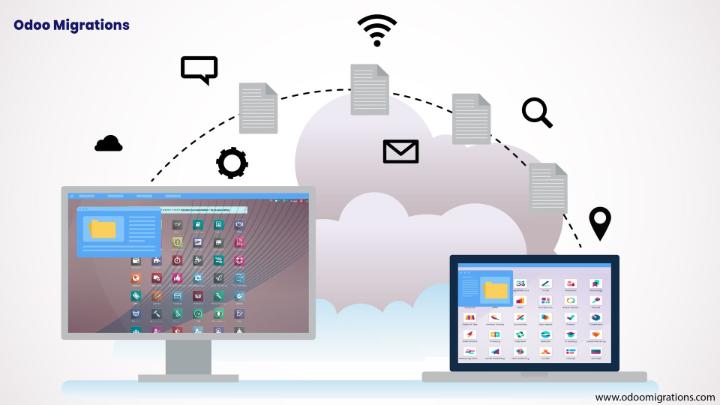
1. Data migration
The first type of Odoo migrations is the one with data. Here, you transfer data from your old kind of system to Odoo, ensuring it is accurate and consistent across channels.
This data also includes your customer details, product information, sales data, open balances and accounts payable and receivable. Data migrations should be done accurately, as you don't want to disturb your operations and all kinds of workflows.
So make sure that when you transfer data to the latest Odoo version, you also follow all necessary protocols and double-check data accuracy.
2. Application migration
Odoo can give access to various applications on a single platform. You can easily make changes to each kind of application to align with your kind of workflows.
Now you can easily customize these applications to even get specific results, making sure they are updated according to Odoo's latest releases.
These migrations help you to easily avoid system delays and other kinds of disruptions so that your operations continue without any kind of problems.
3. System migrations
Now the third type of Odoo migrations is also detail-oriented, requiring a lot of heavy lifting. This is a complete system migration, so you are not only transferring data from your previous software but also customising applications and changing your workflows.
A full kind of system migrations is for all kinds of companies interested in keeping their old data and workflows while also adopting the newer Odoo updates.
Step-by-step guide to odoo migration
1. pre-migration planning
The first phase also begins with you examining the current state of your data. You will also check how complex it is, then decide on its migration goals.
This is also considered a pre-migration phase, as you are also preparing to execute the migrations. Here are the main activities you will also be performing:
1. Understand why you are migrating and what you want to achieve out of it. Are you looking to update some kind of features, or do you want to just completely customize your workflows? When you know what you want, you can set goals for every kind of milestone and have all kinds of backup plans in case of setbacks.
2. Next, you will look at your data. Now it might vary depending on the applications you use. It will be at this stage that you will also identify which data is important and which is obsolete.
3. You also have to study the structure of each kind of data to ensure it is compatible with the latest version. This is known as data mapping, so you also make sure all the fields match with the older system through data validation.
2. data cleansing and all the backup
In the second data, in case there is a problem. You also want to save critical information in case any complication arises. This way, you'll not use any data, and no complications will arise. This way, you'll not lose any kind of data regardless of the results of these migrations.
This is also the time to check data consistency. So you can especially want to look at all kinds of phone numbers and see that the currency formats are correct.
3. Data transfer and migration tools
This is the third phase and the most critical one. It is when you actually conduct the migrations. Here's how you will do it
You will first transfer data from your old legacy system to Odoo. You can use migration tools or an Odoo script to migrate data safely.
If you plan to make changes you can easily make during migrations is creating new kinds of workflows. You can easily automate repetitive tasks, changing up for the approval process and connecting different applications to view the real-time impact of one application on the other.

The bottom line
Odoo is a complete business management solution for businesses, giving you one platform to easily handle different kinds of processes and that too at a single fee. But it is an open-source platform, so you can easily get updates now and then to improve its functionality and user experiences. This is great news for all kinds of businesses, especially if you use this ERP to centralise your operations.